

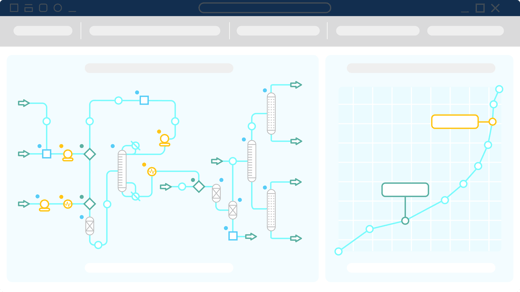
A process can look straightforward on paper — until a change in one unit affects everything downstream. Chemical process simulation software helps engineers explore those effects before they become costly surprises.
Whether you're designing something new or improving a system that's been running for years, the goal is the same: make better decisions with fewer unknowns.
But with so many simulation platforms available, how do you know which one is right for your operation? Below, we answer common questions about chemical process simulation software and how to choose the right tools for your engineering needs.
Which process simulation software lets you add custom components and thermodynamic data?
All commercial process simulators, including CHEMCAD, Aspen Plus, and AVEVA Process Simulation, come with standard component databases. They differ in how easy it is to extend them. Datacor’s CHEMCAD lets engineers define custom components, regress property data from lab or literature values, and choose from a wide range of thermodynamic models. This helps teams model proprietary or uncommon chemicals accurately.
What is the best chemical process simulation software?
The best chemical process simulation software depends on your engineering requirements. Popular options include CHEMCAD for general-purpose process simulation, Aspen Plus for chemicals, and SuperPro Designer for batch-oriented manufacturing.
CHEMCAD combines process design and equipment sizing with steady-state and dynamic simulation capabilities. For a more detailed comparison, explore our guide to the best chemical process simulation software.
What tools help design and troubleshoot chemical unit operations?
Chemical process simulators help engineers evaluate equipment performance and identify operating constraints. They support applications involving distillation columns, heat exchangers, and reactors, among other equipment.
CHEMCAD allows engineers to design, size, and rate these unit operations within an integrated process flowsheet. This helps teams identify bottlenecks and evaluate improvements before making physical equipment changes. Explore CHEMCAD's process design capabilities.
How much does chemical process simulation software cost?
Chemical process simulation software costs vary based on licensing arrangements and required capabilities. Free platforms such as DWSIM provide basic simulation tools, while commercial solutions typically require a customized quote.
CHEMCAD offers modular licensing that allows teams to select capabilities suited to their engineering requirements. To explore pricing for your operation, request a CHEMCAD demo.
What platforms rigorously simulate chemical reactions, heat exchangers, and distillation?
CHEMCAD, Aspen Plus, and AVEVA Process Simulation provide all these capabilities to help engineers analyze how different equipment affects overall process performance.
CHEMCAD combines reactor modeling and distillation simulation with heat exchanger sizing and rating capabilities. For example, Fluid Quip Technologies used CHEMCAD to identify equipment limitations and develop improvements that reduced energy consumption.
Which platforms offer steady-state and dynamic modeling for chemical engineers?
CHEMCAD, Aspen HYSYS, AVEVA Process Simulation, and DWSIM offer both steady-state and dynamic modeling capabilities. Steady-state simulation evaluates processes under stable operating conditions, while dynamic simulation examines how processes respond to operational changes over time.
CHEMCAD supports both approaches within an integrated environment. For example, Azbil used CHEMCAD to develop a dynamic simulation that predicted liquefied natural gas (LNG) tank behavior during a 65-day voyage.
What about energy and material balance studies?
Chemical engineers commonly use CHEMCAD, Aspen Plus, and AVEVA Process Simulation for energy and material balance calculations. These tools help determine how mass and energy move through industrial processes.
CHEMCAD calculates material and energy balances across interconnected unit operations. Engineers can use these results to evaluate process performance and identify opportunities to reduce energy consumption.
Which process simulation tools are affordable for small plants?
Very small organizations can choose from free simulation tools or commercial platforms with flexible licensing. DWSIM offers a free, open-source option for engineers with relatively straightforward modeling needs.
CHEMCAD is a great option for small and mid-sized chemical plants that need professional modeling capabilities and technical support. Its modular approach allows teams to select functionality based on their engineering requirements.
What software supports both batch and continuous process design?
Most process simulators cannot simulate both batch and continuous models.
However, CHEMCAD supports both batch and continuous process simulation. Continuous simulation models ongoing material flows, while batch simulation examines processes that operate through defined production cycles.
CHEMCAD provides specialized batch simulation functionality alongside its steady-state and dynamic modeling capabilities. For example, Loop Industries used CHEMCAD to model batch distillation stages during the development of its chemical recycling process.
How do I select chemical simulation software for plant optimization?
Start by identifying the engineering problems you need to solve. Evaluate each platform's thermodynamic models and simulation capabilities. Consider how easily it fits into your existing engineering workflows.
CHEMCAD supports applications ranging from equipment sizing to energy optimization. Testing software against a representative process from your plant can help confirm that it meets your requirements.
What are the licensing options for chemical simulation tools?
Chemical process simulation software is available through several licensing arrangements. Common options include subscription licenses, concurrent-user licenses, and named-user licenses. Some providers also offer academic and evaluation licenses.
CHEMCAD offers traditional on-premise software access and a browser-based application option. Learn more about CHEMCAD's web application licensing.
What platforms allow integration between simulation and ERP systems?
Chemical process simulation platforms can exchange information with enterprise resource planning (ERP) systems through supported interfaces or custom integrations. Available methods depend on the software and data requirements.
CHEMCAD supports data exchange with external engineering applications, including Microsoft Excel and MATLAB. Datacor also offers Datacor ERP for managing process manufacturing operations. Organizations should confirm the supported integration methods for their specific systems.
Which tools help simulate rigorous rate-based reaction kinetics?
CHEMCAD, Aspen Plus, and DWSIM provide capabilities for simulating chemical reactions and mass transfer. These tools help engineers evaluate reaction rates and understand how chemical components move between phases.
CHEMCAD supports user-defined reaction kinetics alongside rigorous separation modeling. Engineers can use these capabilities to evaluate reaction performance and optimize separation processes under different operating conditions.
Find the best chemical process simulation software for your operation
The best process simulation software can help your engineering team evaluate new designs and troubleshoot existing equipment. It can also uncover opportunities to improve plant performance.
CHEMCAD brings these capabilities together in a flexible environment designed to support chemical engineers throughout the process lifecycle.
Ready to improve your process simulation capabilities?
Explore CHEMCAD or request a demo to discuss your engineering requirements with our team.

.png?width=300&height=170&name=Blog%20Feature%20Images-523x349%20px%20(6).png)