
AuditCommand™
-
Closes the equipment audit trail gaps behind FDA Form 483 observations with a defensible record.
-
Equipment audit trails from HMIs, instruments, skids, and DCS systems land in one view.
-
Audit trail records are assembled as production runs, ready when the batch finishes.
-

Equipment data is collected automatically, the same way, from every connected system.


One automated system for collection, routing, and approval
Connects directly to equipment: HMIs, skids, instruments, DCS systems, historians with out-of-the-box connectors to eliminate custom scripting. Your data stays on-premise.

Validation rules turn raw equipment data into audit trail documentation reviewers can read. Records are generated automatically at batch completion.
Records route for role-based review, annotation, and signature. Every action logs with a timestamp and user identity. Approved records live in one compliant repository.
Built from the ground up for regulated manufacturing
Data Collection & Unification
Connects directly to existing automation systems: equipment skids, HMIs, instruments, DCS, historians. Extracts audit trail data without requiring a centralized data lake or cloud platform.
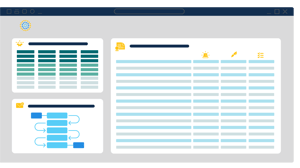
Automatic Report Generation
Data Transformation
Review and Approval Routing
CFR Part 11 Compliance
Configurable Report Scope
Why Choose AuditCommand?
Operates at the Automation Layer
Runs close to the OT layer, processing data at the source. Eliminates latency, reduces integration complexity, and avoids moving regulated manufacturing data off-premise.
.jpg?width=300&height=200&name=pharma-equipment%20(1).jpg)
End-to-End Audit System
Eliminates Custom Scripting
Extensive Equipment Library
Developed for GMP
Reduced Validation Scope
Equipment Audit Trail Management
Equipment Integration and Data Acquisition
AuditCommand connects at the automation layer and reads audit trail data directly from the equipment already on your floor. New or legacy, no equipment is out of scope.
- Direct connections to skids, HMIs, instruments, DCS systems, and historians
- Real-time synchronization across devices, so events from separate systems line up on one timeline
- Connections built against your equipment list, including older systems with no native export
- No data lake, no cloud platform, no custom scripting
- Regulated data stays on premise

Review Workflow and Approval Management
Route every event, or only the exceptions that need attention. You define the review scope.
- Risk-based and exception-based review, configurable by equipment, batch, or event type
- Full-event routing where complete review is required
- Role-based routing with annotation, escalation, and multi-stage approval
- Records generate automatically at batch completion or on a defined schedule
- Real-time status across every batch in review
Compliance and Data Integrity
Records are built to hold up under inspection. So is the review process itself.
- 21 CFR Part 11 compliant electronic signatures and record handling
- Every review action logged with timestamp and user identity
- AuditCommand maintains its own audit trail of all review and approval activity
- Role-based access control across review and approval stages
- Approved records centralized in one auditable repository
Validation, Architecture, and Deployment
GAMP 5 Category 4. Configured, not custom, with a revalidation scope your team can manage.
- Classified as a GAMP 5 Category 4 configured product
- Software is pretested before deployment
- Datacor supplies supporting documentation for your validation process
- On-premise architecture at the automation layer, with no cloud dependency
-
Scales from a single manufacturing area to multi-site deployment
.png?width=105&height=130&name=pharma-equipment%20(9).png)
.png?width=105&height=130&name=pharma-equipment%20(12).png)

Built for Regulated Manufacturing Teams
Designed for manufacturers who are still pulling audit trail data from equipment by hand.
Your team can now access get one unbroken, defensible record from equipment to approval, ready for inspection with zero audit trail observations.