GMP

InfoLog

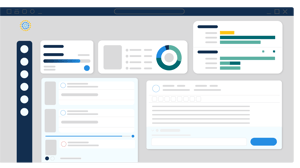
InfoLog is a browser-based electronic logbook that documents operator activity as it happens. Teams track tasks, flag issues, and hand off shifts against a complete, timestamped record.
  • Icon_InfoLog

    Operator entries land in the system immediately. There are no paper logs waiting to be transcribed and no offline files that need syncing later.

  • Icon_Focused

    Every entry, edit, and action is captured with a timestamp and a user identity. Audit trails and Part 11 electronic signatures are an integrated part of the system.

  • Icon_CustomerSatisfaction

    Incoming teams see flagged issues, open tasks, and active alarms before they take the board. Knowledge transfers with the shift instead of walking out the door.


Trusted By

Not Just Another Tool. Here’s Why It Matters

Icon_Data center
No Repository In Between

Data is queried from your automation systems, historian, and LIMS at generation time. Nothing is copied first, so nothing extra sits in your validation scope.

Icon_OperationsManager
Configured, Not Coded

Your engineers build and update records in a point-and-click configurator, without a developer queue, a vendor change order, or a validation cycle.

Icon_Compliance
Native Audit Trails

Each piece of data traces to its source system, timestamp, and reviewer. Inspectors get answers from the system, not from someone's recollection.

Shift Knowledge Walks Out the Door

A verbal briefing and a few handwritten lines are what most incoming operators get. Pending maintenance, a valve that has been sticking, an alarm that cleared but keeps coming back: that context does not survive the handover. Operators make decisions without knowing what the last shift saw, and problems repeat across shifts before anyone connects them.
InfoLog-B

Handwritten Entries Invite Data Integrity Findings

FDA warning letters routinely cite logbook practices: entries made after the fact, corrections without initials or dates, illegible records, missing pages. Paper does not enforce contemporaneous recording, and hybrid systems where operators write on paper and transcribe later create a documented gap between the event and the record. ALCOA+ expectations (attributable, legible, contemporaneous, original, accurate) are difficult to demonstrate with a bound notebook.
InfoLog-B

Records Scatter Across the Facility

One logbook sits in the control room. Another lives in maintenance. Quality keeps a third. Add scanned PDFs on a shared drive and a spreadsheet someone built to track open items, and there is no single source of truth. During an inspection, reconciling those versions consumes days that were not in anyone's plan.
InfoLog-B

Searching Historical Records Is Manual Labor

An investigation asks a straightforward question: has this pump failed before, and what did operators observe? Answering it means pulling binders and reading page by page. Deviation investigations stretch out, root cause analysis stays shallow, and recurring failures go unrecognized because nobody can see the pattern.
InfoLog-B

Tasks Disappear After They Are Assigned

A supervisor asks an operator to check a chiller. The operator agrees. Whether it was checked, when, and who verified it exists only in memory or in a note in someone's pocket. Follow-up is reactive. Items that should have been closed sit open until they surface as a deviation.
InfoLog-B

Audit Preparation Becomes a Six-Week Project

Inspection notice arrives and the scramble starts: locate logbooks, verify completeness, reconcile versions, assemble evidence. Teams pull people off production work to prepare records that should have been inspection-ready all along. The preparation itself often surfaces the gaps, too late to correct them.
InfoLog-B

Browser-Based Entry, No Client Install

Operators log entries from any authorized workstation or mobile device through a standard browser. There is nothing to install on the floor and no specialized terminal to maintain. Entries are written to a central database as they are made, which is what makes contemporaneous recording enforceable rather than aspirational.

pharma-equipment (12)

Preconfigured Templates Standardize What Gets Captured

Forms guide operators through the fields that matter: equipment ID, observation, classification, corrective action. Round sheets, alarm responses, maintenance observations, and sample entries each follow a consistent structure. Standardized capture is what makes the data searchable later, and it removes the judgment call about how much detail is enough.
pharma-equipment (12)

Event Monitor Captures System Data Automatically

Pair InfoLog with Event Monitor and log entries generate directly from OPC values, alarms, and process events in your DCS, MES, or historian. Temperature excursions and state changes are recorded without an operator typing them. Operators review and annotate what the system captured, which keeps the human observation in the record while removing the transcription step where errors enter.
pharma-equipment (12)

Tasks Are Tracked to Closure

Assigned tasks carry due dates and owners. Operators see what is assigned to them. The system alerts supervisors when items approach or pass their due date. A task is closed when someone closes it and the closure is recorded, not when it stops being mentioned.
pharma-equipment (12)

Role-Based Access Controls Who Sees and Signs

Permissions are enforced by role. Operators enter. Supervisors review and approve. Quality reads audit trails. Nobody depends on people being careful with a shared document, and the access model itself is part of the compliance record.
pharma-equipment (12)

Electronic Signatures and Full Audit Trail

Electronic signatures are configurable to your SOPs, including meaning-of-signature and multi-level approval. The audit trail records every entry, edit, and deletion with user, timestamp, and reason for change. Records are retained in a controlled database rather than in files that can be moved or overwritten.
pharma-equipment (12)

Search, Tagging, and Dashboards Make History Usable

Entries are tagged and indexed. Searching eighteen months of records for a specific piece of equipment takes seconds. Dashboards summarize shift status by role, so operators, supervisors, and site leadership each see the view relevant to them.
pharma-equipment (12)

Data Integrity Exposure Drops

Contemporaneous entry, enforced attribution, and an unalterable audit trail address the logbook practices that generate 483 observations and warning letter citations. The system produces ALCOA+ compliant records as a byproduct of normal work rather than through operator discipline alone.

digital-transformation (10)

Inspection Readiness Becomes Continuous

Records stay complete, organized, and retrievable throughout the year. When an inspector asks for all entries on a specific unit for a specific quarter, you run a query in front of them. The preparation project that used to consume weeks becomes a review.
digital-transformation (10)

Deviation Investigations Close Faster

Searchable history turns a question that took days of binder review into a query. Investigators see every prior entry on the equipment, the operators involved, and what was observed. Root cause work goes deeper because the evidence is accessible.
digital-transformation (10)

Recurring Problems Become Visible

Patterns that hide in scattered paper records surface in aggregated data. Equipment that fails repeatedly, alarms that cluster around a shift change, tasks that consistently run late: these show up in dashboards and drive maintenance and process decisions.
digital-transformation (10)

Handover Time Shrinks and Handover Quality Improves

Incoming operators read a structured summary instead of reconstructing the shift through conversation. The briefing is shorter and more complete, and what was communicated is documented.
digital-transformation (10)

Skilled Time Moves Off Paperwork

Operators, supervisors, and quality staff spend less time transcribing, chasing signatures, filing, and hunting for records. That capacity returns to production and process work.
digital-transformation (10)

Add-on Modules

Engineering extension tools that can help you quickly and efficiently complete projects. Modules can work individually or together within Fathom and your existing Fathom models.

Settling Slurry

Models the effects of pumping fluids containing settling solids using the Wilson/GIW method. Used with either Fathom or Impulse.

Goal Seek and Control

Identifies input parameters that yield desired output values and simulates control functions. Used with either Fathom or Arrow.

Extended Time Simulation

Models dynamic system behavior in steady-state flow and how critical system parameters vary over time. Used with either Fathom or Arrow.

Automated Network Sizing

Evaluates the complex interaction of system variables to reveal combinations of cost savings. Used with either Fathom or Arrow.

Chempak Database

The Chempak add-on utility provides a thermophysical database of almost 700 liquids and 600 gases with mixing capability.

Pulsation Frequency Analysis

Helps identify pipe acoustical frequencies to avoid resonance from excitation, especially in systems with positive displacement pumps and reciprocating compressors. Used with either Impulse or xStream

Integrations

Connect InfoBatch to the automation, quality, and enterprise systems already running in your facility, with no data lake, no middleware layer, and no custom development.

Process Control and Batch Systems

Preconfigured connectors for Emerson DeltaV and Syncade, including batch historians and co-installation with DeltaV Application Stations.

Historians and Time-Series Data

Read from AVEVA PI, OPC HDA sources, and ODBC-compatible databases at generation time, with no replication or staging layer.

Quality and Enterprise Systems

Pull in-process and release results from LIMS, execution data from MES, and material genealogy from ERP into the same record.

File-Based Instrument Sources (InfoETL)

Ingest CSV, XML, SQLite, and JSON output from instruments, skids, and HMIs that expose no OPC or ODBC interface. No custom scripting required.

Barcode Label Generation (InfoLabel)

Auto-generate 2D and 3D barcode labels with batch data encoded inline, closing the loop between the electronic record and the physical product.

Web API and Programmatic Access

Integrate InfoBatch with DeltaV, Syncade, and third-party applications through a documented Web API for record generation and retrieval.

Potential Results

Explore Customer Stories
digital-transformation (4)
2 Seconds Historical Data Retrieval
Digital-transform-gears
100% Attribution Every entry carries user and timestamp
digital-transformation (7)
Continuous Audit Readiness Inspection prep becomes review

FAQ

InfoLog deploys against your existing shift structure and control systems, replacing paper logbooks without disrupting how operators work.

What is InfoLog?

InfoLog is a browser-based electronic logbook for GMP-regulated manufacturing. Operators use it to record daily operations, work from a prioritized task list, and view dashboards summarizing shift activity. It replaces paper logbooks and hybrid paper-to-file processes with a single controlled record that supports 21 CFR Part 11 electronic signatures and maintains a complete audit trail.

Is InfoLog compliant with 21 CFR Part 11?

InfoLog is designed for Part 11 environments. It supports configurable electronic signatures, including meaning-of-signature and multi-level approval, and maintains a complete audit trail capturing user identity, timestamp, and reason for change on every entry, edit, and deletion. Records are retained in a controlled database. Compliance is a shared responsibility: the system provides the controls, and your validation and procedural framework completes it. Datacor supports customer validation with documentation and qualification assistance.

How does InfoLog support data integrity and ALCOA+ expectations?

Entries are attributable through enforced user authentication, legible by design, contemporaneous because they are written to the database at the time of entry, original because the system is the record rather than a transcription of one, and accurate because templates constrain what gets captured and Event Monitor pulls system values directly. Complete, consistent, enduring, and available follow from centralized retention and search.

Can InfoLog capture data from our control systems automatically?

Yes, through Event Monitor. It connects to OPC sources, DCS platforms, MES, and historians to generate log entries from alarms, process events, and state changes. Operators review and annotate the captured entries rather than typing them from scratch. This removes the transcription step where errors and delays enter, and it keeps the system record and the operator record aligned.

What kinds of entries can InfoLog handle?

InfoLog covers any event-driven or scheduled data entry: operator rounds, shift handovers, maintenance observations, alarm annotation, laboratory sample input, deviation notes, and equipment status. Preconfigured templates standardize each entry type, and templates are configurable to your site's SOPs and terminology.

How do we search and retrieve historical entries?

Entries are tagged and indexed as they are created. Search filters by date range, equipment, entry type, operator, classification, or free text. Retrieving every entry on a specific asset across a multi-year window is a query rather than a manual review, which is what shortens deviation investigations and inspection responses.

Can multiple teams use InfoLog at the same time?

Yes. InfoLog is browser-based and multi-user. Operators, supervisors, maintenance, quality, and site leadership work in the same system simultaneously, each seeing the dashboard and permissions appropriate to their role. All access is logged.

What happens to our existing paper logbooks?

InfoLog runs alongside your current records during transition. New entries move to InfoLog while historical paper records stay accessible under your existing retention procedures. There is no requirement to backfill history before going live. Most sites phase in by area or logbook type.

What is the typical implementation timeline?

Timelines depend on the number of logbooks, template complexity, integration scope, and your validation approach. Implementation generally moves through template configuration, integration setup where Event Monitor is included, validation, and user training, followed by phased rollout. Datacor's implementation team guides each phase.
Icon_InfoLog

Request a demonstration to see how InfoLog documents your shift in real time.

digital-transformation (2)